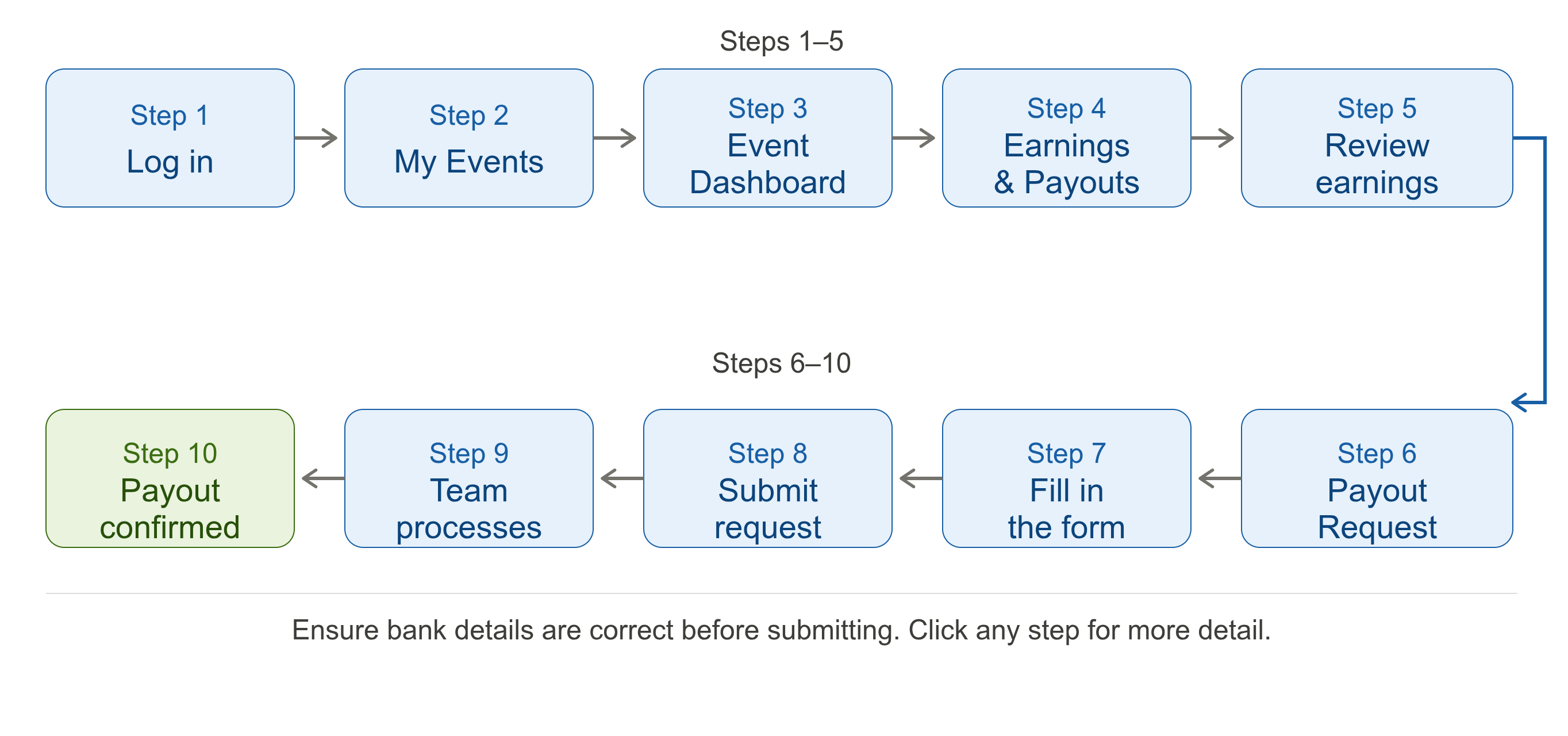
This guide explains how organisers can view their earnings and request payouts through their BookCPD dashboard. Follow the steps below to submit a payout request quickly and securely.
Step-by-Step Guide
Log In to Your Organiser Account
Log in using your registered organiser credentials on BookCPD.
Go to My Events
Once logged in, navigate to the My Events section from your dashboard menu.
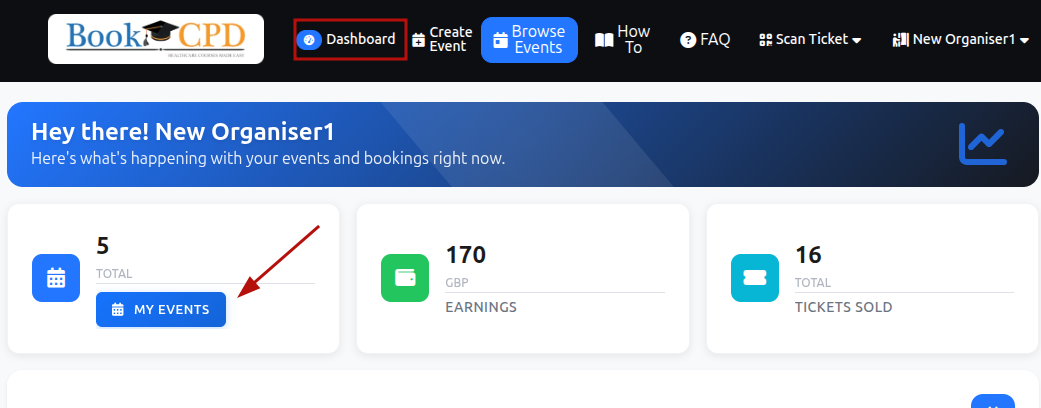
Open Your Event Dashboard
Select the relevant event and click on Event Dashboard.

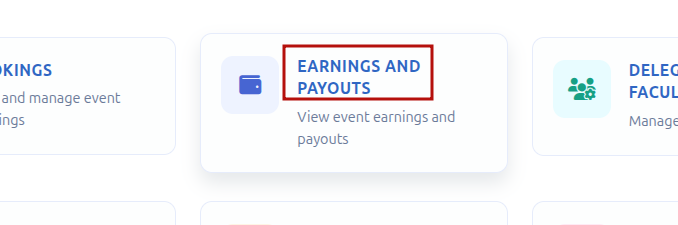
Navigate to Earnings & Payouts
Inside the Event Dashboard, click on Earnings and Payouts.
View Your Earnings Summary
Here you can view a full breakdown of your earnings, including:
- Total earnings
- Amount already paid
- Amount payable
- Applicable charges
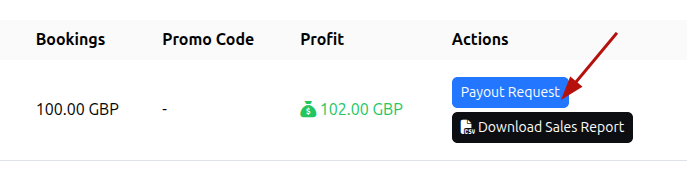
Click Payout Request
Click the Payout Request button to proceed to the payout request form.
Fill In the Payout Request Form
Enter the required payout details carefully in the form.
⚠ Ensure your bank details are correct before submitting. Incomplete or incorrect details may delay processing.
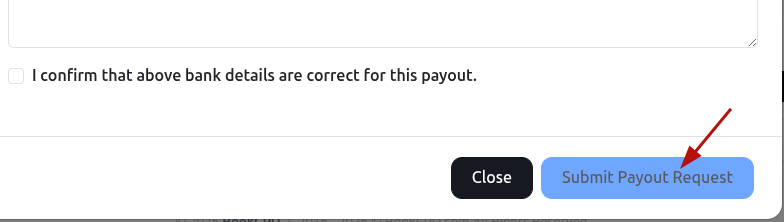
Submit Your Request
Click Submit Payout Request to send your request to the BookCPD team.
Request Processing
Your request will be received by the BookCPD team and processed after verification. You will be able to see the status of your request from the Earnings and Payouts page.
ⓘ Payouts are processed by the BookCPD team after verification. Processing times may vary.
Email Confirmation
Once your payout has been processed, you will receive an email notification confirming your payout status.
Need help?
If you have any issues with your payout request, contact the BookCPD support team at info@bookcpd.com or call 01227 678030.