Group email for faculty and delegate
Instead of emailing delegates and faculty individually, BookCPD allows you to send bulk emails directly from your Event Dashboard. This saves time and ensures everyone receives the same information in one go.
ⓘ You can send bulk emails to delegates and faculty separately, giving you full control over who receives each communication.
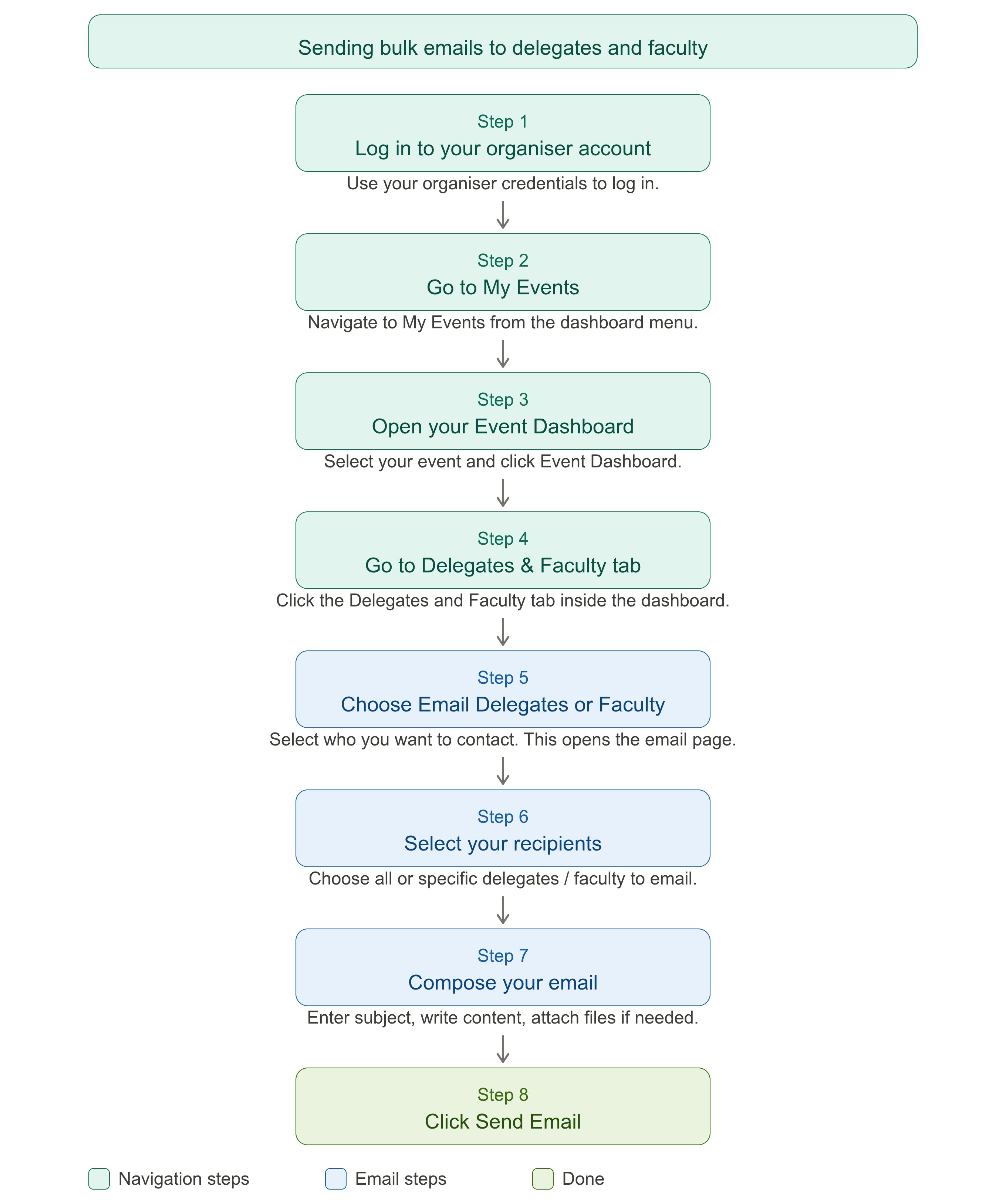
Step-by-Step Guide
Log In to Your Organiser Account
Log in using your organiser credentials on BookCPD.
Go to My Events
Navigate to My Events from your dashboard menu.
Open Your Event Dashboard
Select the relevant event and click Event Dashboard.
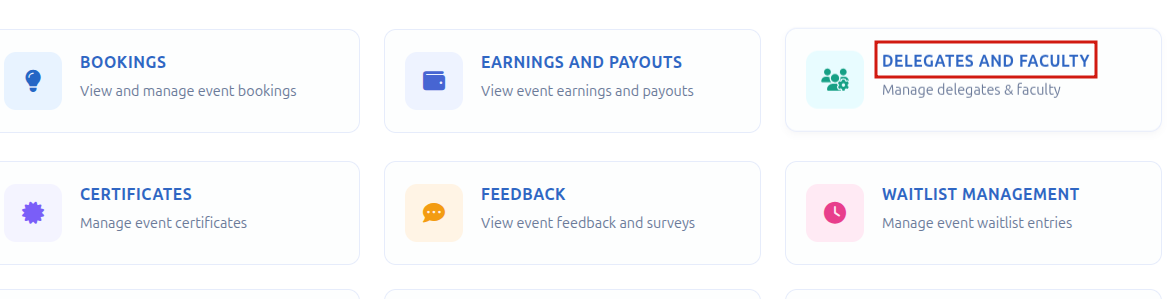
Go to the Delegates and Faculty Tab
Inside the Event Dashboard, click on the Delegates and Faculty tab.
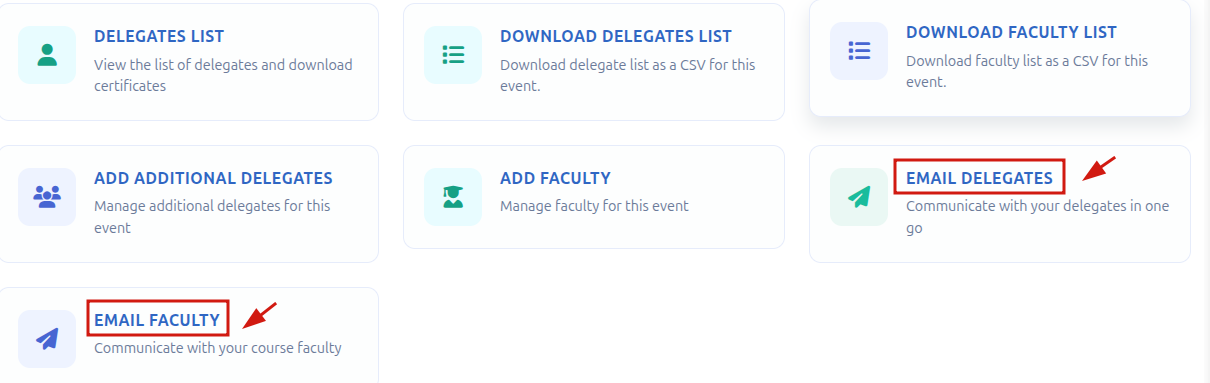
Choose Who to Email
Select either Email Delegates or Email Faculty depending on who you want to contact. This will open the email page.
Select Your Recipients
On the email page, choose which delegates or faculty members you want the email to be sent to. You can select all or specific individuals.
Compose Your Email
Enter a subject line and type your email content. Attach any files if needed.
Send the Email
Click Send Email to deliver the message to all selected recipients.
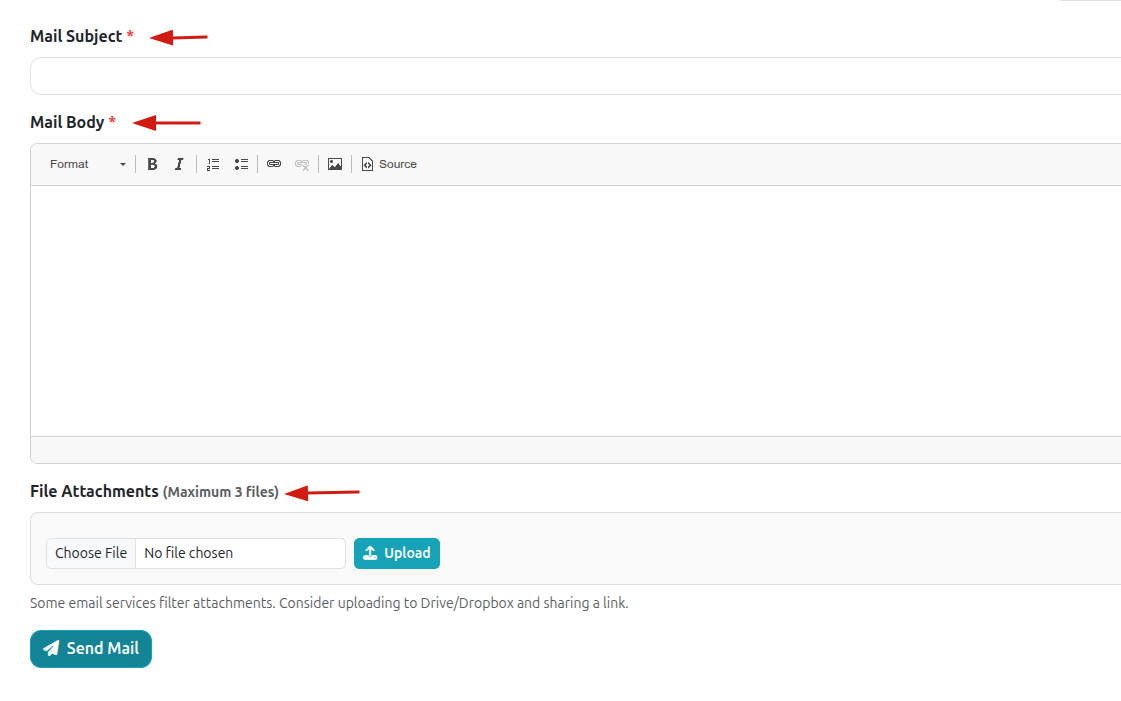
ⓘ Your email will be sent immediately to all selected recipients. Double-check your recipient selection and content before clicking Send Email.
Need help?
Contact us at info@bookcpd.com or call 01227 678030.