Organiser How-To
How to View Survey Analytics
Follow these steps to access and view survey analytics for your event.
Step-by-Step Guide
1
Log In to Your Organiser Account
Log in using your organiser credentials on BookCPD.
2
Go to My Events
Navigate to My Events from the main menu.
3
Open Your Event Dashboard
Select the event you want to review and click Event Dashboard.
4
Go to the Feedback Section
In the Event Dashboard, go to the Feedback section.
5
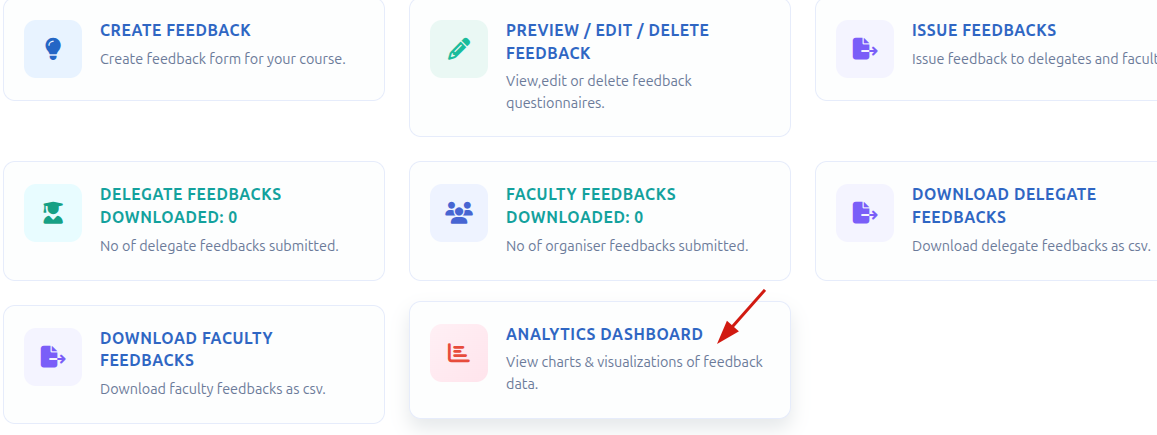
Click Analytics Dashboard
Click Analytics Dashboard.
6
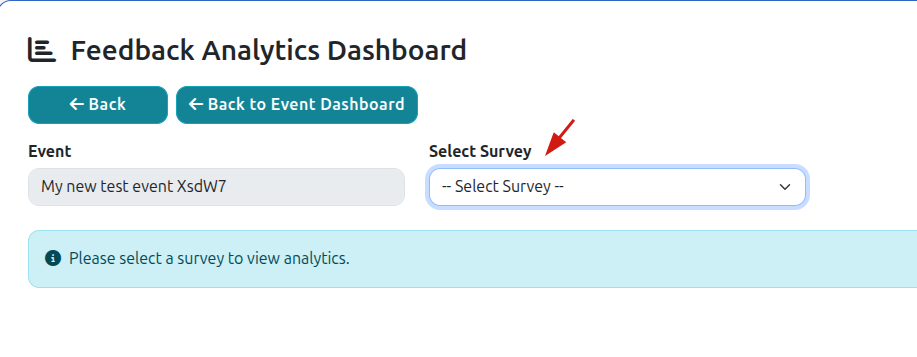
Select a Survey
Select the desired survey to view its analytics and insights.
ⓘ
You can now review survey responses, participation metrics, and other feedback data to better understand attendee engagement and event performance.
Need help?
Contact us at info@bookcpd.com or call 01227 678030.