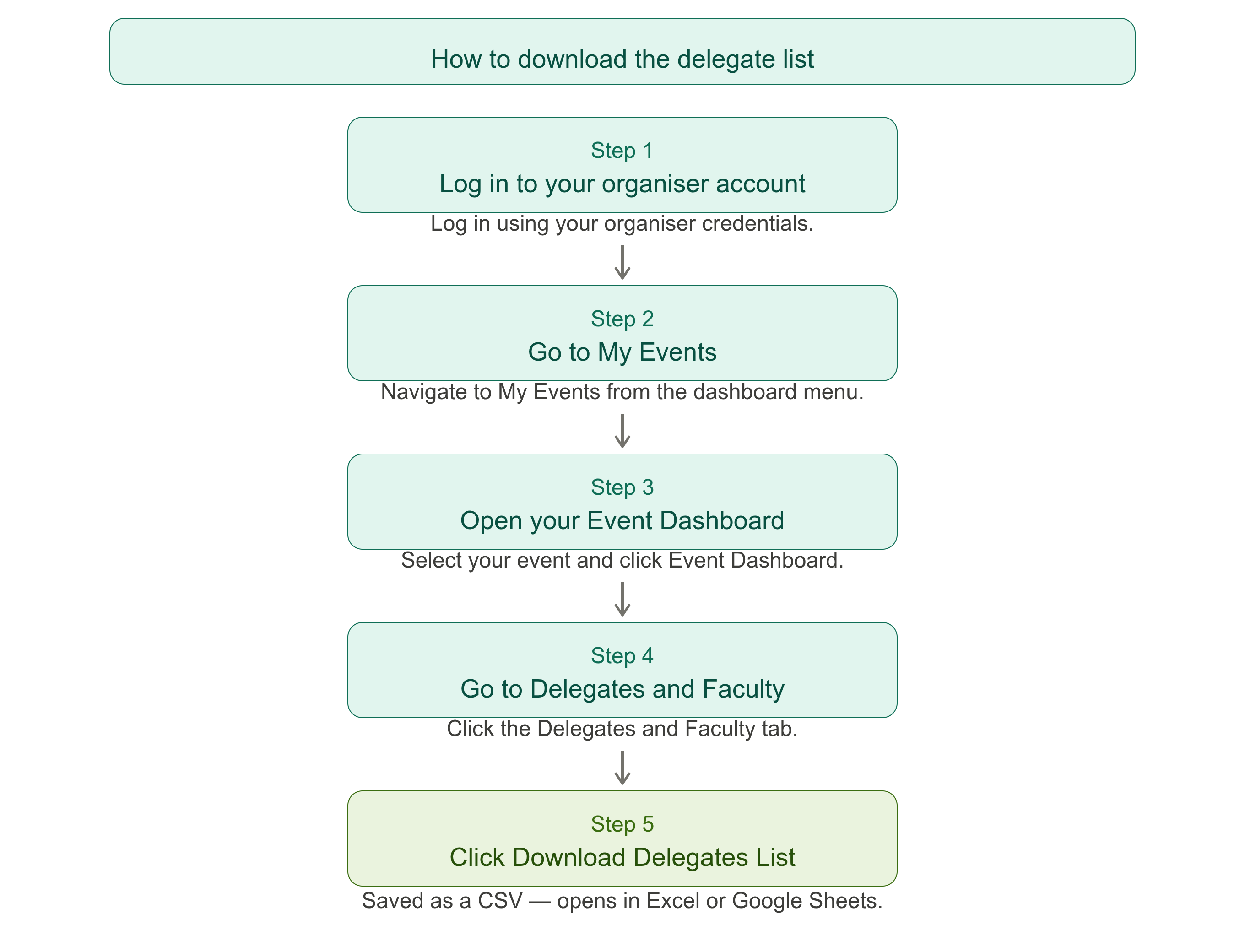
BookCPD allows organisers to quickly download a full list of delegates registered for their event. The list is available as a CSV file, which can be opened in Excel or any spreadsheet application for reporting, communications, or record keeping.
Step-by-Step Guide
Log In to Your Organiser Account
Log in using your organiser credentials on BookCPD.
Go to My Events
Navigate to My Events from your dashboard menu.
Open Your Event Dashboard
Select the relevant event and click Event Dashboard.
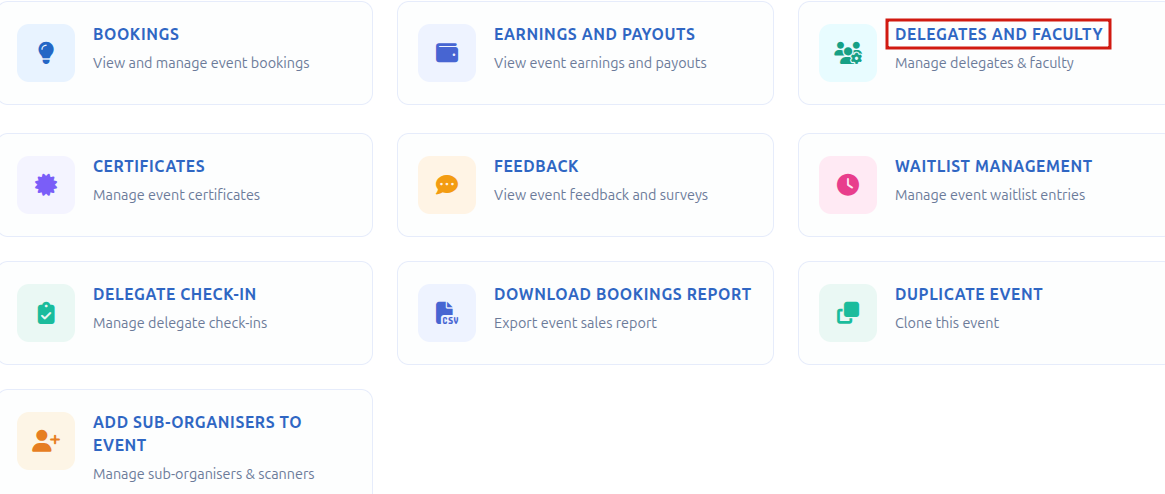
Go to Delegates and Faculty
Inside the Event Dashboard, click on the Delegates and Faculty tab.
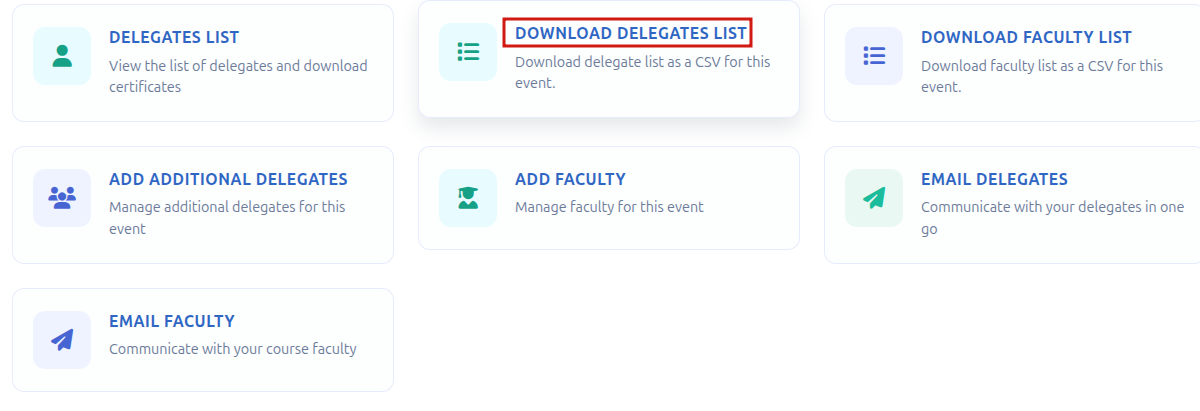
Click Download Delegates List
Click Download Delegates List. Your browser will save the file as a CSV. This can be opened directly in Microsoft Excel, Google Sheets, or any other spreadsheet application.
ⓘ The delegate list contains registration details for all delegates who have booked onto your event. It is useful for attendance tracking, pre-event communications, and reporting purposes.
Need help?
Contact us at info@bookcpd.com or call 01227 678030.