Organiser How-To
How to Become an Organiser
Becoming an organiser allows you to create and manage events, track registrations, collect attendee feedback, and access event analytics through your organiser dashboard.
Follow the steps below to register as an organiser.
Step-by-Step Guide
1
Create an Account
Click Register and create your account by providing the required information.
2
Access the "Create Event" Page
Once you have successfully logged in, navigate to the home page and click Create Event.
3
Submit Your Organiser Request
You will be redirected to the Organiser Registration page, as shown below.
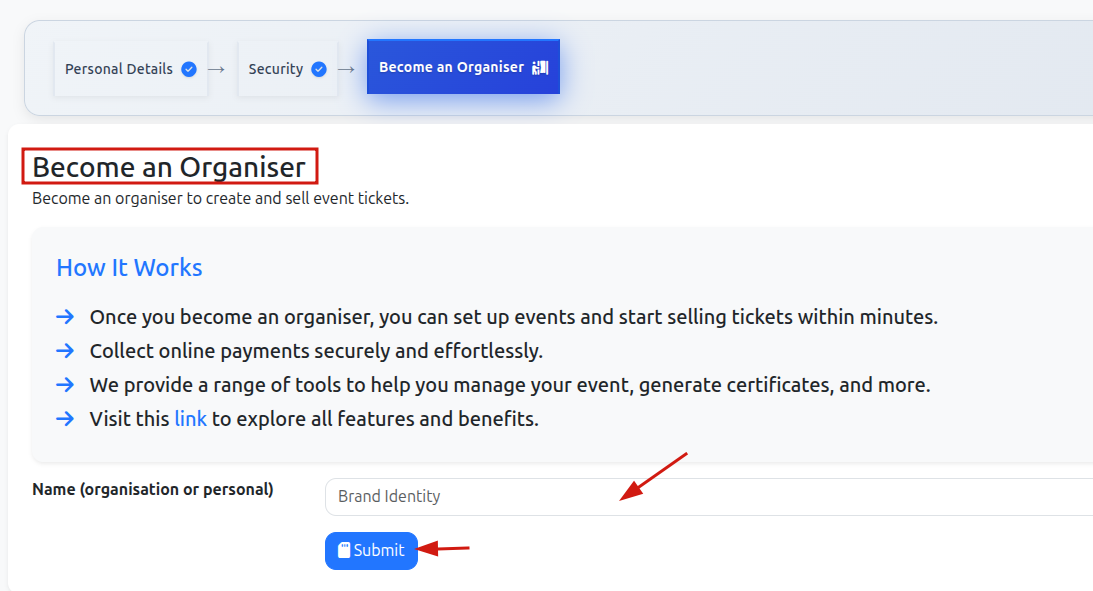
Enter your personal name or organisation name in the required field and click Submit.
4
Wait for Approval
Your request to become an organiser will be sent to our Admin.