AI-Powered Feedback Forms: Build, Refine, and Launch
New Feature — Beta
Build with AI — Feedback Forms Made Easy
Building delegate feedback forms just got a whole lot easier.
If your course programme has 10 lectures, you shouldn't have to manually create the same rating question 10 times. With Build with AI, simply paste your programme into the feedback designer and let BookCPD do the repetitive work for you.
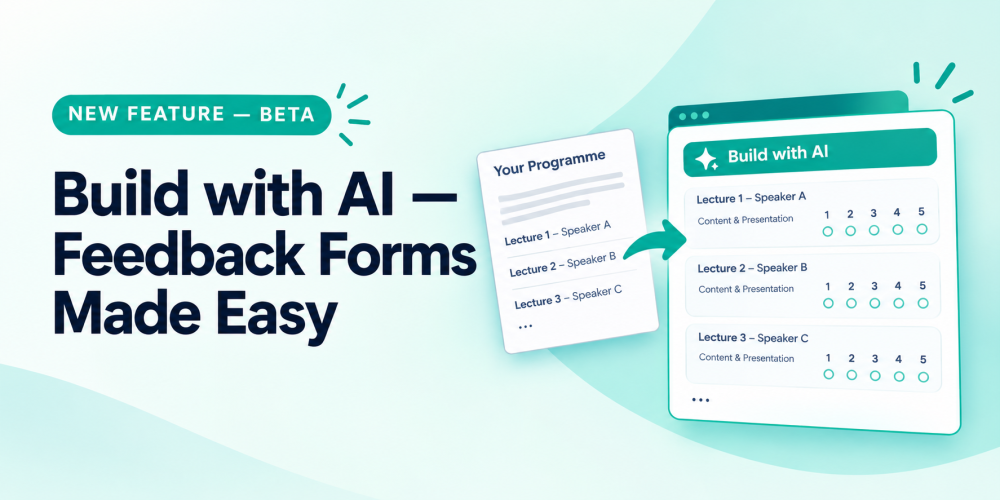
Paste your programme. Get your feedback form.
Build with AI reads your programme and identifies the lectures and speakers, then automatically creates the corresponding feedback questions for you.
For each lecture, it generates the familiar 1–5 rating grid covering Content and Presentation, with the lecture title and speaker name included.
What Makes It Useful
One paste, multiple questions
Paste your full programme and generate feedback questions for all your lectures in one go.
Nothing gets lost
If a line doesn't clearly match a lecture or speaker, it is still added to your survey as a question. Your pasted content isn't simply discarded.
It adds to your existing survey
Build with AI appends the generated questions to the feedback form you're already creating. It doesn't overwrite your existing questions. And once they're added, you're in control — edit, rename, reorder or delete anything just as you normally would.
Now available in Beta
Build with AI is currently being released as a beta feature, and we'd love to hear what you think. If something doesn't look quite right, or you have ideas for how we can make it even more useful, your feedback will help us improve it.
Next time you're creating delegate feedback, open the Feedback Designer and look for Build with AI.
One paste. A full set of lecture feedback questions.
Try it in the Feedback Designer on your next event.
Warm regards,
The BookCPD Team
Need help?
Contact us at support@bookcpd.com.